August 28, 2026

4
min read
How to Protect Your Zendesk Account?
Eliminate Security and Compliance Risks From Zendesk Account
· Zendesk tickets can unintentionally collect PII,PHI, PCI data, financial information, credentials, secrets, and otherconfidential information.
· Manual redaction helps, but relying on supportagents to find every sensitive data exposure is slow and error-prone.
· Modern Zendesk DLP should inspect ticket textand attachments, classify sensitive information, and automatically remediateit.
· Strac combines DLP and DSPM capabilities todiscover sensitive data and apply controls such as redaction and masking acrossZendesk and the broader SaaS environment.
· ProtectingZendesk should be part of a broader data security strategy covering SaaS,cloud, GenAI, endpoints, and other places where sensitive data moves.
Customer support is one of the easiest places for sensitive data to end up where it should not.
A customer opens a Zendesk ticket and includes a credit card number. Someone uploads a screenshot containing PHI. An API key appears in a troubleshooting log. A support agent forwards an attachment containing PII. Suddenly, sensitive information is sitting inside tickets, comments, attachments, and support workflows accessible to far more people than necessary.
In 2026, keeping Zendesk safe requires more than permissions and asking agents to manually redact sensitive information. Organizations need automated discovery, classification, and remediation that can identify sensitive data as it enters Zendesk and take action before it becomes a long-term security or compliance problem.
This is where modern Data Loss Prevention (DLP) becomes critical.
Zendesk is designed to make it easy for customers and support teams to communicate. That flexibility is also what creates the security challenge.
Customers do not always follow a company's data-handling policies. If they are troubleshooting a billing issue, they may paste payment information directly into a ticket. If they are discussing healthcare information, they may include PHI. If a technical issue is involved, logs or screenshots may contain credentials, API keys, tokens, or internal information.
Support agents can create similar exposure unintentionally when copying information between systems or uploading files.
The result is sensitive data scattered across:
This is why Zendesk security is no longer simply an access-control problem. Organizations also need to understand what sensitive data is entering Zendesk, where it exists, who can access it, and what should happen when it is detected.
The answer depends on the organization, industry, and regulatory obligations, but common sensitive data classes include:
Personally Identifiable Information can include Social Security numbers, driver's license information, passport information, addresses, dates of birth, and other identifiers.
Healthcare and healthtech organizations may receive patient information, medical details, insurance information, or other protected health information through support interactions.
Customers may accidentally submit credit card numbers, bank account information, payment details, or other financial information when asking for help with billing.
Technical support conversations can contain API keys, authentication tokens, passwords, credentials, and other secrets, particularly when customers submit logs or screenshots.
Support tickets can also contain contracts, customer information, internal documents, intellectual property, or other business-sensitive information that should not remain broadly accessible.
Strac's broader approach is built around protecting these kinds of sensitive data across SaaS applications rather than treating each application as an isolated security problem.
The safest sensitive data is often the data that never enters Zendesk.
Organizations should establish clear policies defining which information customers and employees should never submit through support tickets.
But policy alone is not enough.
Customers may ignore instructions, employees make mistakes, and sensitive information can be buried inside attachments where it is difficult to notice.
That is why data minimization should be backed by automated controls.
Security teams need visibility into sensitive information that may already exist across support environments.
This is where Data Security Posture Management (DSPM) complements DLP.
DSPM helps organizations discover and classify sensitive data and understand where risk exists. DLP provides the enforcement layer that determines what happens when sensitive data is detected.
Strac combines these concepts rather than forcing security teams to operate separate discovery and enforcement systems.
Sensitive information is frequently hidden inside files rather than written directly into the ticket.
Zendesk protection therefore needs to extend beyond plain text.
Security teams should consider documents, spreadsheets, images, screenshots, PDFs, and other attachments when designing Zendesk DLP policies.
Content-aware detection and OCR become particularly important because sensitive information inside an image cannot be reliably protected by simply searching ticket text.
Strac's detection approach is designed for structured and unstructured content and uses ML/OCR capabilities for sensitive data detection rather than depending solely on simple pattern matching.
Finding sensitive data is only half the problem.
If every detection generates another security alert requiring manual investigation, security teams simply inherit a different operational burden.
Modern DLP should be able to take action.
For Zendesk, one of the most useful actions is automated redaction or masking. Sensitive information can be removed from the support workflow while the remaining context stays available to agents.
This allows support teams to continue solving the customer's problem without unnecessarily exposing the sensitive value.
Not every Zendesk user needs access to every piece of information contained in a ticket.
Organizations should combine Zendesk permissions with data-level protection so that sensitive information is minimized even when someone legitimately has access to the underlying ticket.
This becomes especially important after an issue has been resolved. A support agent may need the context of the conversation later, but rarely needs permanent access to a customer's full credit card number, SSN, healthcare identifier, or API credential.
Zendesk may contain regulated information relevant to frameworks and regulations such as PCI DSS, HIPAA, GDPR, and other privacy requirements.
Security teams therefore need to treat support data as part of the organization's wider compliance environment.
Strac supports detection and remediation around sensitive data categories such as PII, PHI, and PCI and positions these controls as part of broader compliance workflows.
A redacted Zendesk ticket does not solve the problem if the same information has already moved somewhere else.
Support workflows increasingly connect Zendesk with email, Slack, cloud storage, CRM platforms, internal systems, and AI tools.
A customer attachment might start in Zendesk, get downloaded to an endpoint, uploaded to Google Drive, discussed in Slack, and eventually pasted into a GenAI application.
This is why Zendesk DLP works best as part of a unified data security strategy rather than another isolated security product.
Zendesk provides functionality for authorized users to redact ticket content. That capability is useful, but manual redaction creates an obvious operational limitation: someone first has to notice the sensitive data.
At scale, that becomes difficult.
Support agents are focused on resolving customer problems. They cannot realistically be expected to recognize every SSN, financial identifier, healthcare record, API key, or sensitive attachment that passes through a busy support queue.
Sensitive information may be buried several pages into a PDF, inside a spreadsheet, or visible only in a screenshot.
An agent may never realize it is there.
Making agents inspect every message and attachment for sensitive data adds friction to the support process and pulls employees away from serving customers.
Not every long number is a credit card number. Not every identifier is sensitive.
Effective DLP therefore requires more than simply matching patterns. Content-aware detection helps organizations distinguish sensitive information from harmless business data and reduce unnecessary remediation.
A modern Zendesk DLP workflow can be much simpler.
Step 1: A customer submits a ticket
The customer enters text or uploads an attachment.
Step 2: Content is inspected
The DLP system evaluates the content for defined sensitive data classes such as PII, PHI, PCI, financial information, or secrets.
Step 3: Sensitive data is classified
Policies determine what type of information has been discovered and how it should be handled.
Step 4: The appropriate action is applied
Depending on policy and workflow, sensitive information can be redacted, masked, blocked, deleted, or otherwise remediated.
Step 5: Support continues
Agents retain the information they need to solve the issue without unnecessary exposure to the sensitive value.
The difference is important: Zendesk DLP moves security from "find and alert" toward "detect and fix."
Strac provides DLP and DSPM capabilities designed for modern environments where sensitive information moves continuously between SaaS applications, cloud systems, endpoints, APIs, and AI workflows.
For Zendesk specifically, Strac can help organizations detect sensitive information inside customer conversations and attachments and apply automated remediation such as masking or redaction. Its Zendesk capabilities fit into a broader strategy for protecting sensitive information across support and collaboration environments.
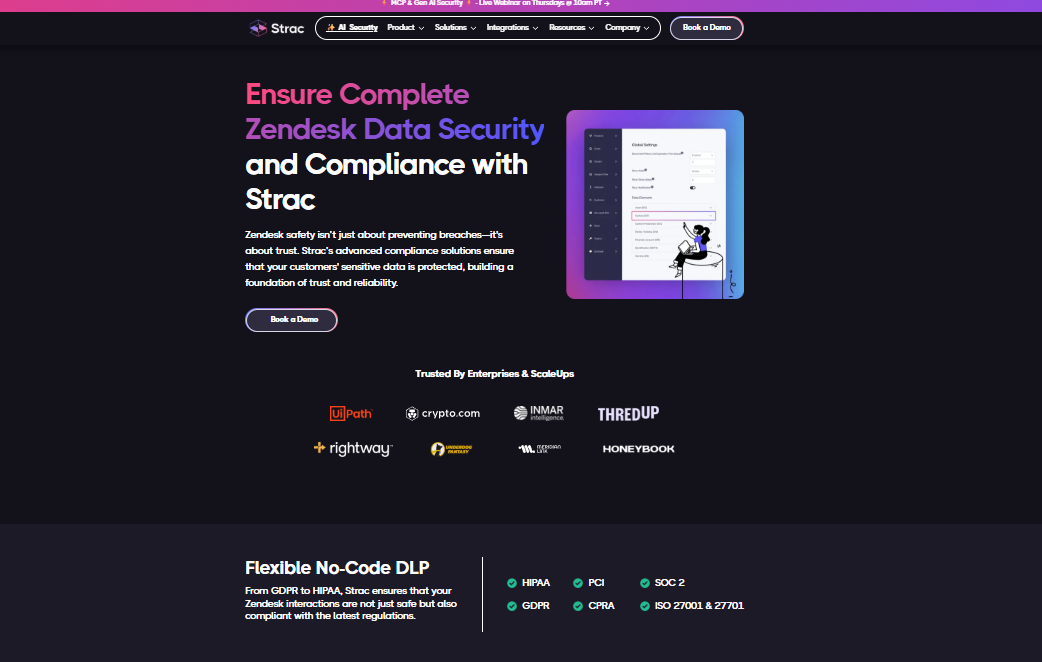
Strac can identify sensitive data categories such as PII, PHI, PCI, financial information, and other confidential data.
Organizations can also build policies around the specific sensitive information relevant to their business.

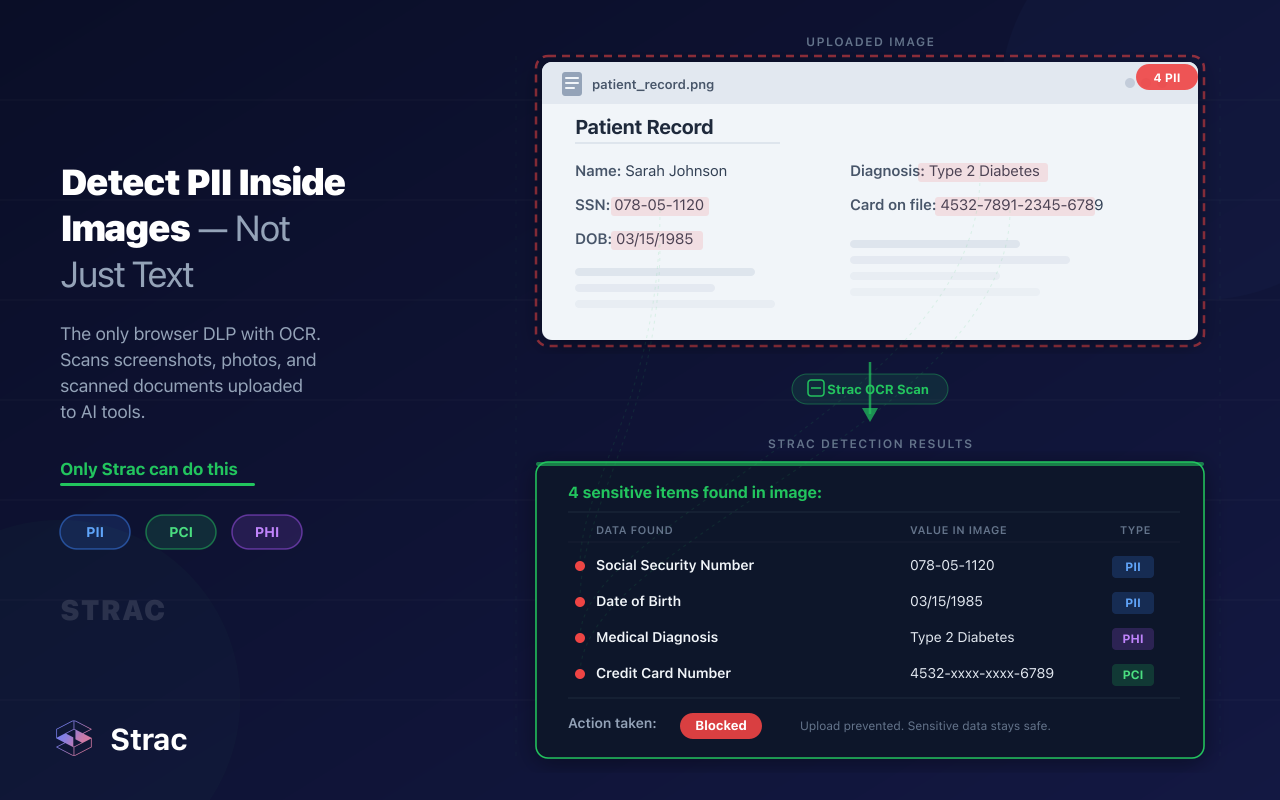
Sensitive data does not have to appear as plain ticket text.
Strac's content-aware detection approach extends into structured and unstructured content, including attachments and images, with ML/OCR-based detection capabilities.
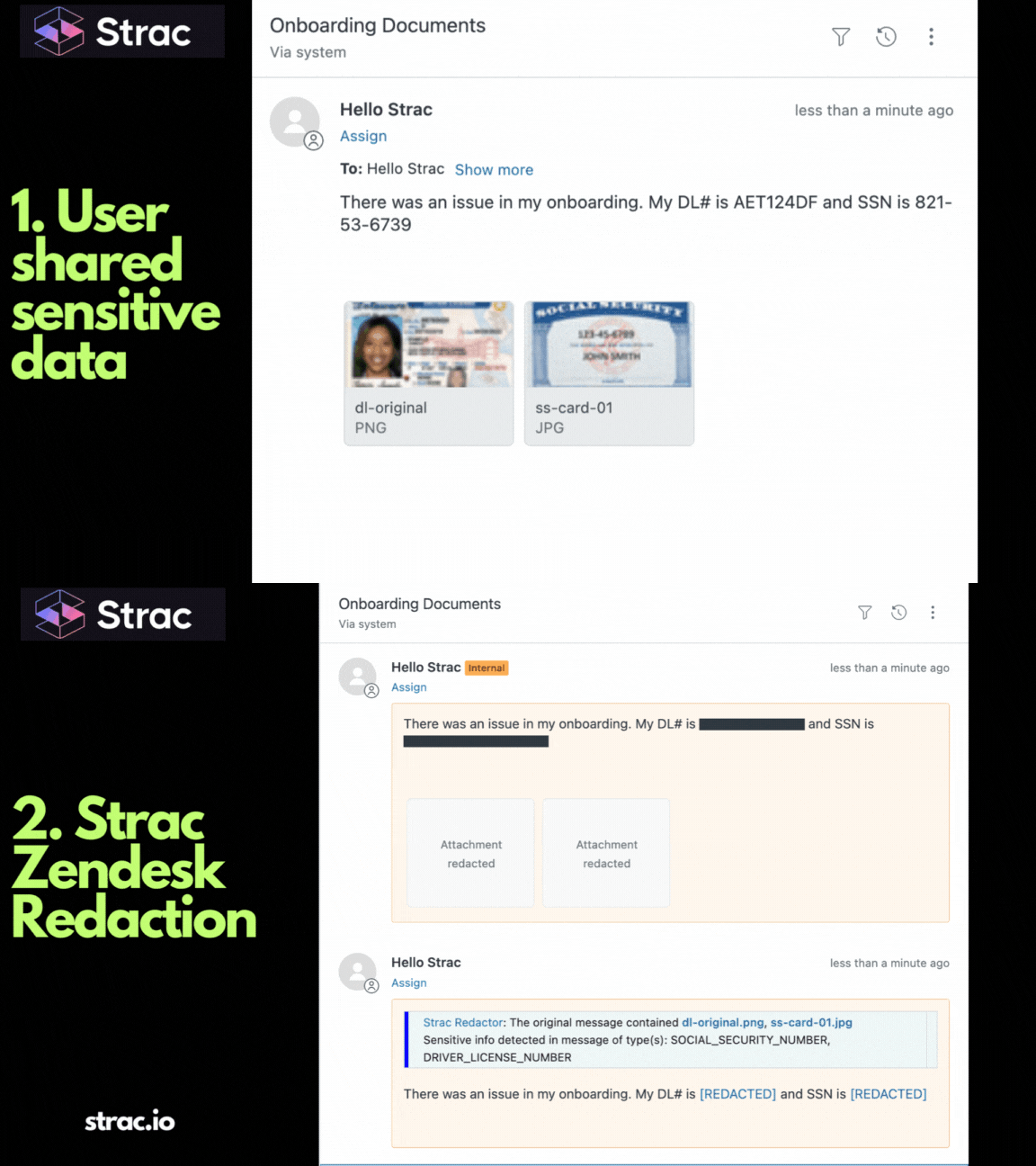
Strac goes beyond generating alerts.
Its broader DLP approach supports remediation actions such as redaction, masking, blocking, and deletion, allowing security teams to reduce exposure instead of simply being notified that exposure occurred.
Strac combines sensitive data discovery and classification with enforcement.
That gives security teams a path from:
Discover → Classify → Understand Risk → Enforce Policy → Remediate
instead of operating separate visibility and enforcement tools.
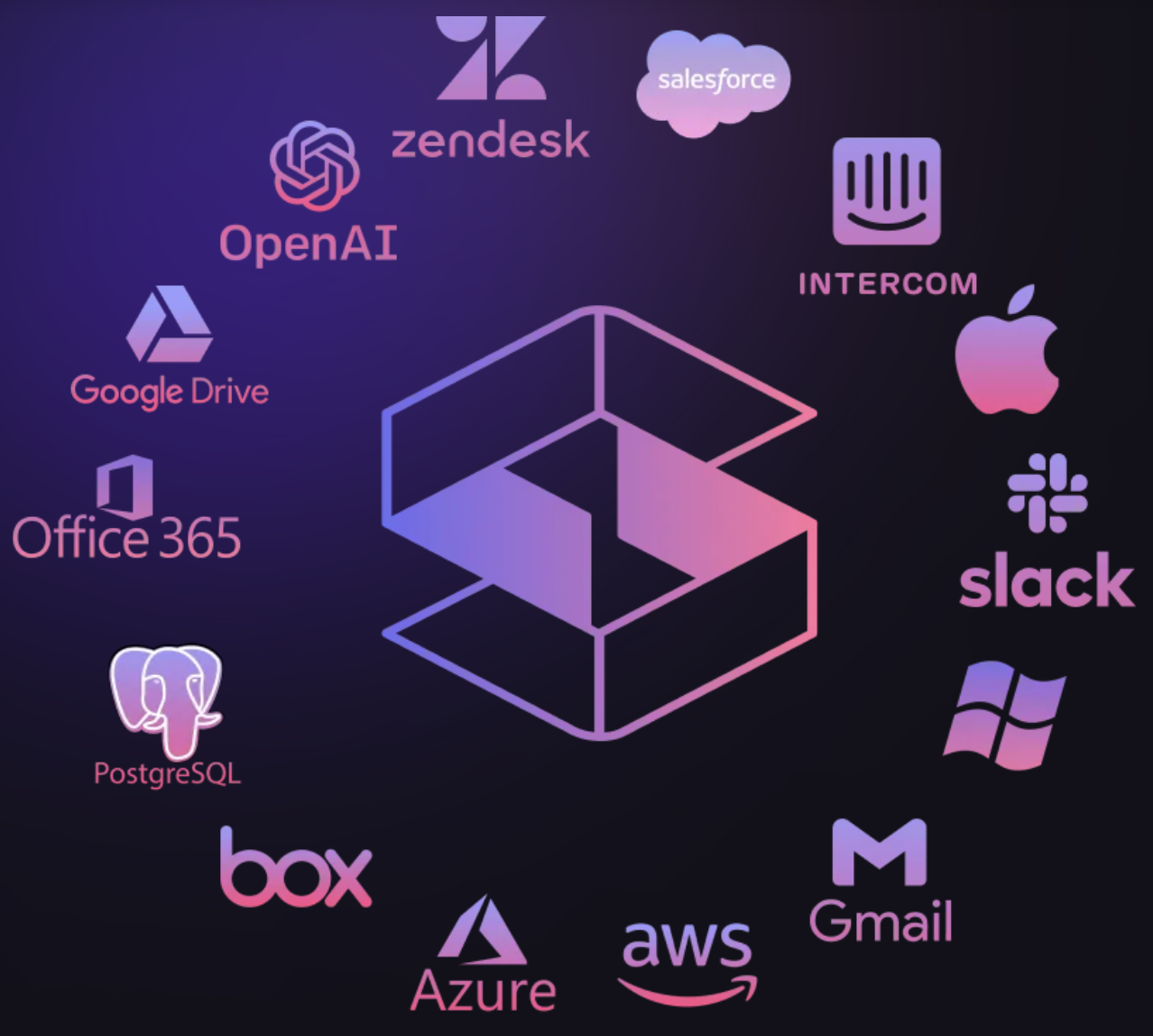
Zendesk is rarely the only place support data travels.
Strac's broader coverage extends across SaaS, cloud, endpoints, and GenAI environments, giving organizations a more unified approach to sensitive data protection.
This matters because protecting the Zendesk ticket while ignoring the same data after it reaches another application simply moves the security gap somewhere else.
There is another major consideration in 2026: AI.
Support teams increasingly use copilots, ChatGPT-style applications, internal AI assistants, and AI agents to summarize tickets, draft responses, troubleshoot issues, and automate workflows.
That creates a new data path:
Customer → Zendesk → Employee/Agent → AI Tool
Sensitive customer information that was originally confined to a support ticket can now be copied or automatically passed into an AI system.
Strac's broader GenAI DLP capabilities are designed to protect sensitive information across AI prompt and response flows, extending data protection beyond traditional SaaS applications.
For organizations adopting AI-powered customer support, Zendesk security therefore cannot stop at Zendesk.
When evaluating Zendesk DLP in 2026, ask whether the platform can:
The goal should not be to add another Zendesk security alert.
The goal is to prevent unnecessary sensitive data exposure while allowing support teams to keep working.
Keeping Zendesk safe in 2026 requires protecting the data inside the support workflow, not just securing access to the Zendesk account.
Customers and employees will inevitably submit information they should not. Sensitive data will appear in comments, documents, screenshots, spreadsheets, and connected workflows. Manual redaction cannot reliably keep up with that volume.
Modern Zendesk DLP changes the model by automatically discovering sensitive data, understanding what it is, and applying remediation when necessary.
With Strac, Zendesk protection can also become part of a broader DSPM and DLP strategy spanning SaaS, cloud, endpoints, APIs, and GenAI rather than remaining another isolated security control.
Book a demo to see how Strac can help discover, classify, and protect sensitive data across Zendesk and the rest of your data environment.
Related reading:
Zendesk can provide strong platform security, but that does not stop customers or employees from putting sensitive data inside tickets. PII, PHI, PCI data, credentials, and secrets can still appear in comments, screenshots, logs, and attachments. Zendesk DLP adds a data-level security layer that can detect and remediate that information before unnecessary exposure spreads.
Because customers will do it anyway. Someone troubleshooting a payment issue may paste a credit card number; a patient may upload a medical document; a developer may attach logs containing an API key. Policies are important, but automated DLP protects the business when humans inevitably ignore them.
Not at scale. Manual redaction depends on an agent noticing sensitive information, correctly identifying it, and remembering to remove it. It becomes even harder when sensitive data is buried inside PDFs, spreadsheets, screenshots, or other attachments. Automated detection and redaction reduce that dependency on human review.
That is where Zendesk security becomes an AI data security problem. Support teams increasingly use GenAI to summarize tickets, troubleshoot problems, and draft responses. If sensitive ticket data is copied into an AI prompt, traditional Zendesk controls may no longer protect it. Strac extends DLP across SaaS and GenAI workflows so sensitive data can be protected as it moves beyond the original ticket.
Yes. Another dashboard full of alerts does not remove the sensitive data creating the risk. Modern DLP should be able to take action through controls such as redaction, masking, blocking, or deletion. Strac combines sensitive data discovery with inline remediation across SaaS and other modern data environments.
.avif)


.gif)


.webp)